Step 1: Stand up the registry
The registry runs as its own compose project, ak-conda, on a user-defined podman network. Two
decisions here shape everything after, so they come first.
The registry has a bare hostname and TLS. Clients reach it as https://ak.internal, on port
443 inside the network, with a certificate from Caddy's internal CA. There are two reasons. pixi
looks credentials up by hostname and drops the port, so pixi auth login host:8443 stores an
entry that is never sent (we confirmed this on the wire). And a security team will not accept
credentials over plain HTTP, so the walkthrough does not either. The CA certificate is exported to
registry/out/ak-internal-ca.crt and every client container trusts it.
Clients are containers on the registry's network. Every pixi and rattler-build step runs in a
container attached to ak-conda-net, where ak.internal resolves because the Caddy container
carries that network alias. A second network, build-isolated, is marked internal: true, so it
has no route anywhere; Caddy is on it too. That is the network the registry-only proofs run on.
The only host port is 127.0.0.1:30444, for you and for screenshots.
$ registry/up.sh
up.sh: generating .../registry/.env
 ...
 Container ak-conda-caddy Started
up.sh: waiting for Caddy's internal CA  .../registry/out/ak-internal-ca.crt
up.sh: waiting for https://ak.internal:30444/readyz . ready
Cold start, pulls included, is about 90 seconds. From the host, the scripts talk to the registry
by its real name with curl --resolve ak.internal:30444:127.0.0.1 --cacert registry/out/ak-internal-ca.crt,
so SNI, the Host header and certificate verification are exactly what a client on the network
sees. No /etc/hosts edit.
A few compose details, all in
registry/compose/compose.override.yml:
containers are renamed ak-conda-* so two projects can share a host, Postgres and OpenSearch
publish no ports, and BACKEND_IMAGE / WEB_IMAGE in registry/.env pick the images.
The channels
registry/bootstrap.sh
creates everything through the API and can be re-run; the second run reports each object as
existing.
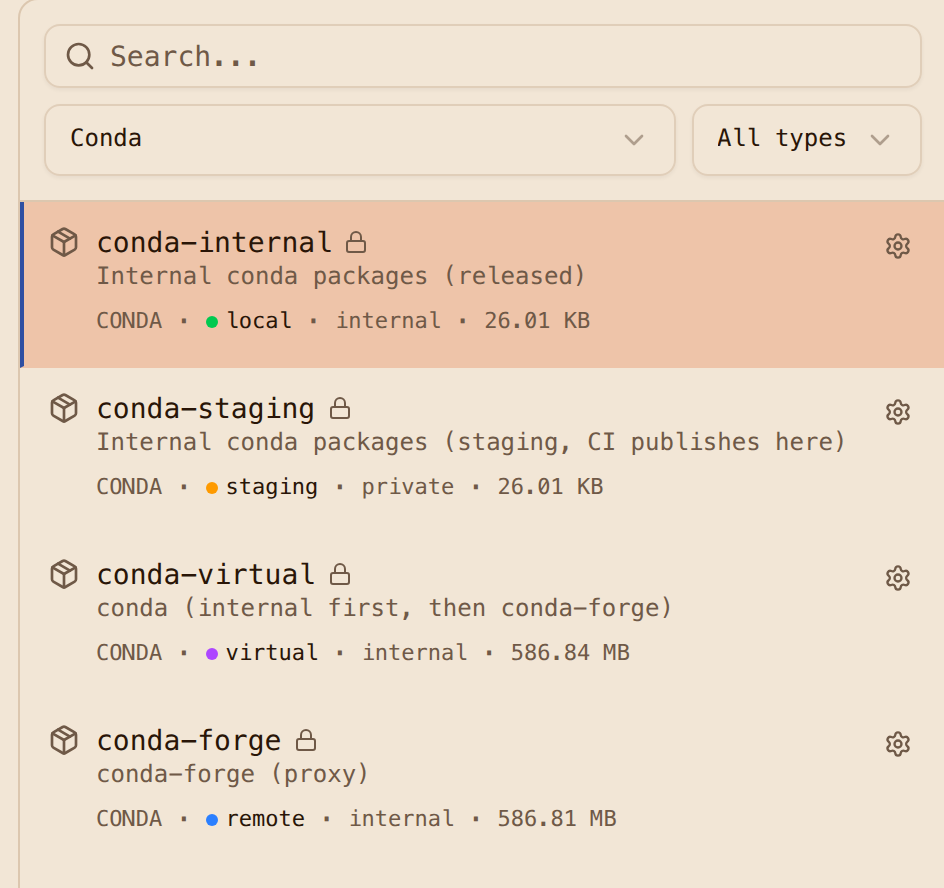
| Repository | Format | Type | Visibility | Purpose |
|---|---|---|---|---|
conda-forge |
conda | remote | internal | proxy of https://conda.anaconda.org/conda-forge |
conda-staging |
conda | staging | private | where CI publishes; release target is conda-internal |
conda-internal |
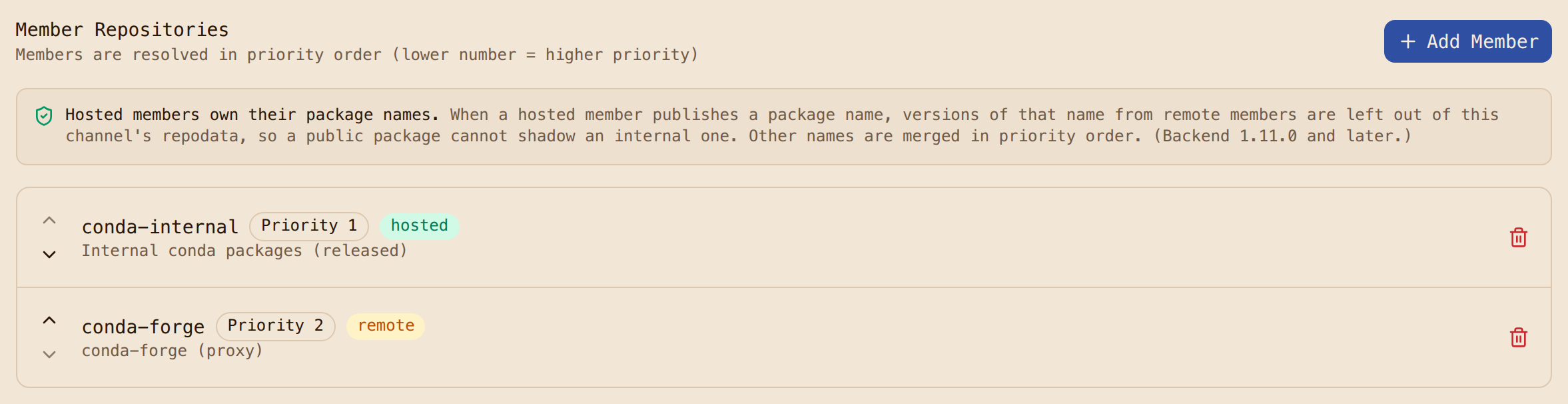
conda | hosted | internal | released internal packages; promotion_only, so direct uploads are refused |
conda-virtual |
conda | virtual | internal | conda-internal at priority 1, conda-forge at priority 2; the one channel consumers use |
pypi-remote |
pypi | remote | internal | so mixed conda and PyPI projects resolve through the registry too |
oci-ghcr, oci-redhat |
docker | remote | internal | proxies for the pixi and UBI base images |
oci-apps |
docker | hosted | internal | the application images we build |
trust |
generic | hosted | public | the CA certificate and the attestation public key |
visibility: internal means any authenticated user can read; anonymous requests get 401. The
staging repository is private, so a consumer cannot even see that it exists.
The bootstrap also turns on scan-on-upload for both hosted channels and creates the scan policy that gates promotion; Step 4 covers it.
Tokens
Three tokens, each doing one job:
ci.token: a repository token onconda-staging, read and write, 90 days. CI can publish to staging and nowhere else.consumer.token: a user token withread:artifactsand a repository selector coveringconda-virtual,conda-internal,conda-forge,pypi-remoteand the image proxies. This is what developers and builds use.- A repository token on
conda-virtualalone, read only, kept to show a limitation (below).
What each credential can read, as HTTP status per repository
(gates/token-matrix.sh):
credential     conda-internal conda-staging conda-forge conda-virtual pypi-remote trust
anon           401 401 401 401 401 200
ci             404 200 404 404 404 200
consumer       200 404 200 200 200 200
consumer-repo  404 404 404 404 404 200
Two things worth knowing. A repository that a token cannot see answers 404, not 403, so its
existence is not disclosed. And a repository token scoped only to the virtual repository cannot
read through it: member reads are authorized against the member, so the virtual channel answers
404 Virtual repository has no accessible members. Consumers therefore need a token whose scope
covers the members, which is what consumer.token is. We have asked for this to be reconsidered;
until then, scope consumer tokens to the members.
Next: Step 2, configure pixi.