Step 8: SBOM and blast radius
Three views of the same environment, and the question they are there to answer: when the next
openssl advisory lands, which of our deployments contain it?
Scan the image
scan/scan.sh
runs Syft and Grype against the built image and against the installed environment:
== image localhost/acme-analytics:1.0.0
  syft packages by type: {"binary":3,"conda":43,"python":12,"rpm":22}
  grype matches by severity: {"High":16,"Low":23,"Medium":67,"Negligible":2}
  High openssl 3.6.4 CVE-2026-54873 fix=3.4.8,3.5.9,3.6.5,4.0.3
  High openssl 3.6.4 CVE-2026-72897 fix=3.4.8,3.5.9,3.6.5,4.0.3
  ...
  High python 3.12.14 CVE-2026-82049 fix=3.12.15,...
Two things to know about the tools. Syft needs --select-catalogers +conda-meta-cataloger to see
conda packages in an image at all, and it emits no PURL (package URL) for them, only CPEs; Grype
still matches by name and version, and reports each conda CVE twice, once for the conda record
and once for the binary it finds in bin/. Trivy produces an SBOM and licenses for conda
environments but does not scan them for vulnerabilities. The 22 RPM packages are UBI micro's own.
The four High openssl findings are the cooldown from Step 5
showing up where you would expect: the fix, 3.6.5, was under 14 days old at lock time. That is a
decision for the team, not a bug, and the lock makes it visible.
The registry's SBOM from the lockfile
The registry builds a CycloneDX or SPDX SBOM straight from pixi.lock, with proper conda PURLs:
$ curl -sS --cacert ca.crt -H "Authorization: Bearer $TOKEN" \
    -X POST "https://ak.internal/api/v1/sbom/environment?filename=pixi.lock" --data-binary @project/pixi.lock
{"lockfileFormat":"pixi.lock","sbomFormat":"cyclonedx","summary":{"distinctPackages":44,"edges":99},"components":44}
pkg:conda/acme-fastmath@1.0.0?build=hb0f4dca_0&channel=ak.internal%2Fconda%2Fconda-internal&subdir=linux-64
44 components for 44 locked packages, each with build, channel, subdir and sha256. Lock format 7 does not carry name and version fields, so this is the tool that parses them out reliably.
Register the environment, then ask the question
Registering the lockfile against a repository
(POST /api/v1/repositories/conda-internal/environments?filename=pixi.lock) stores the
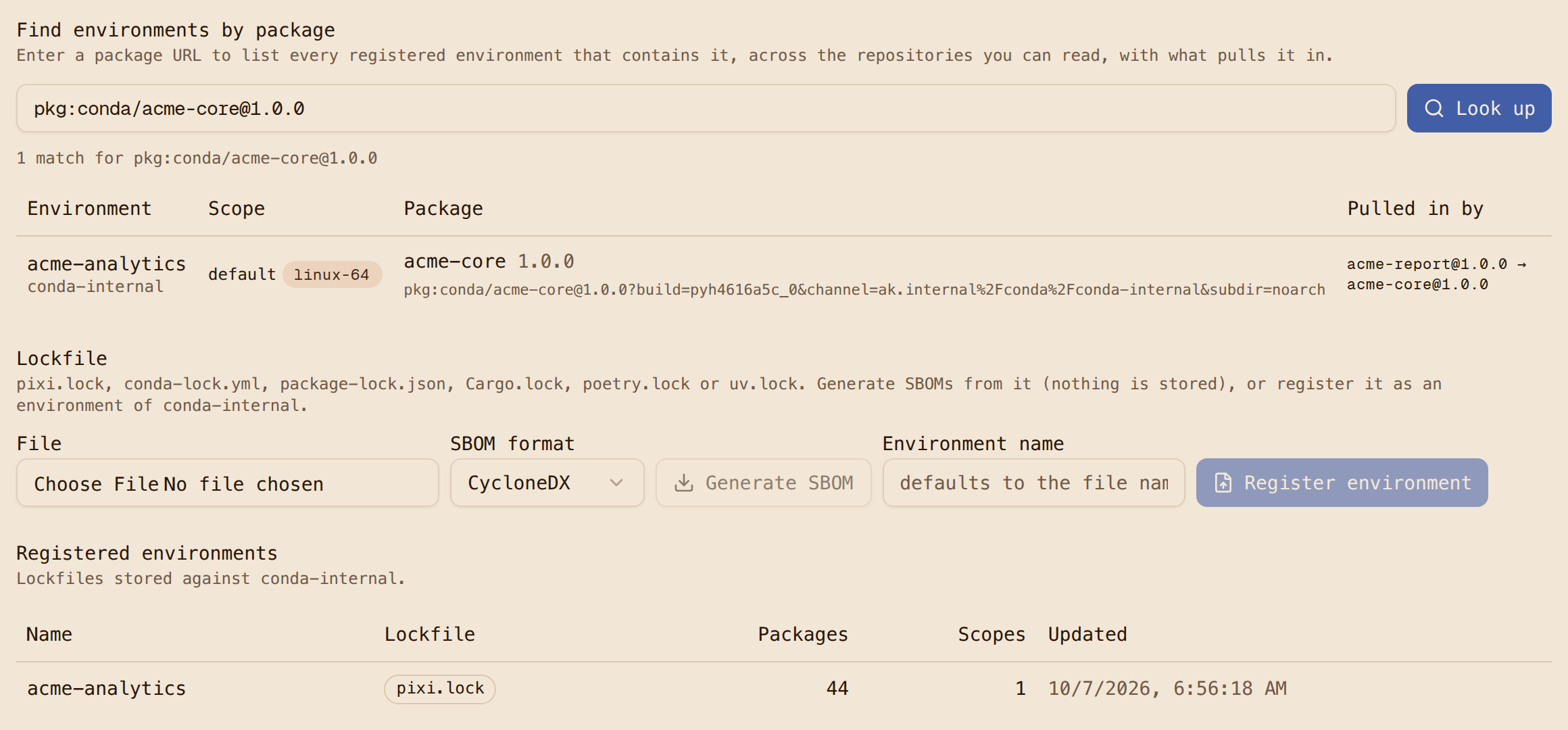
environment and its dependency graph. The reverse lookup then answers by PURL:
$ curl ... "https://ak.internal/api/v1/environments/lookup?purl=pkg:conda/openssl@3.6.4"
[{"repository":"conda-internal","environment":"acme-analytics","path":["acme-report@1.0.0","python@3.12.14","openssl@3.6.4"]}]
$ curl ... "...lookup?purl=pkg:pypi/humanize@4.16.0"
[{"repository":"conda-internal","environment":"acme-analytics","path":["humanize@4.16.0"]}]
The answer includes the inclusion path, so the incident response is "acme-analytics has it
through python," not a grep across repositories. Register every deployed lockfile and this is
your blast-radius query. The UI has the same lookup on the repository's Environments tab, with
SBOM download and generate-from-lockfile beside it.
The download audit
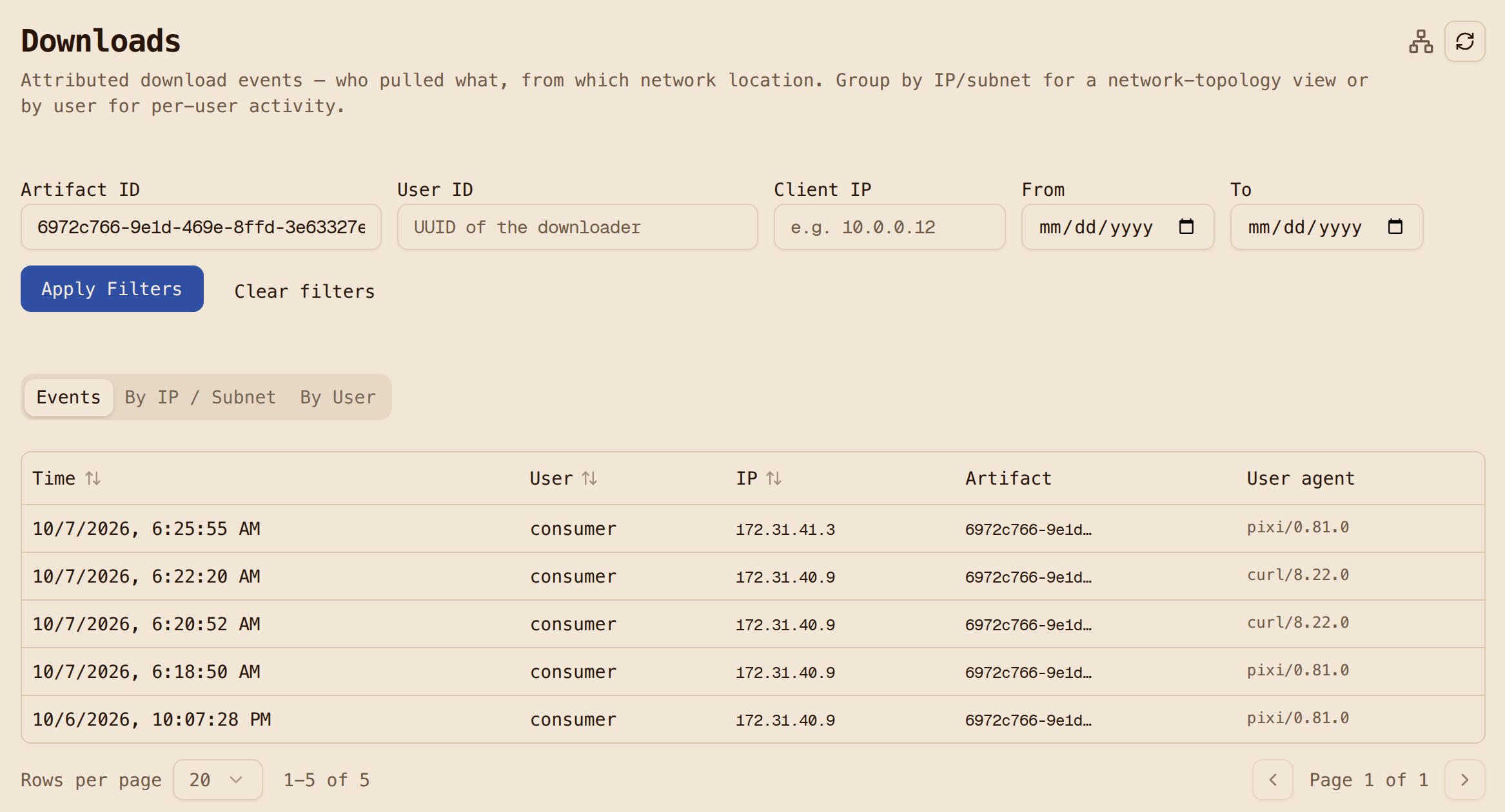
Every pull of a hosted package is recorded with the credential that made it, so the question
"who installed acme-report 1.0.0 and when" has an answer in the Downloads view, deep-linked
from the package. One honest gap: pulls served through the conda-forge and PyPI proxies are not
yet recorded as download events, so the audit covers internal packages and not the public ones a
build also fetched. That is filed and queued for a later release because it needs a schema change.